- Why traffic is separated into VLANs
- How the lab assigns networks across data centres and branches
- Where segmentation helps—and where it does not replace access controls
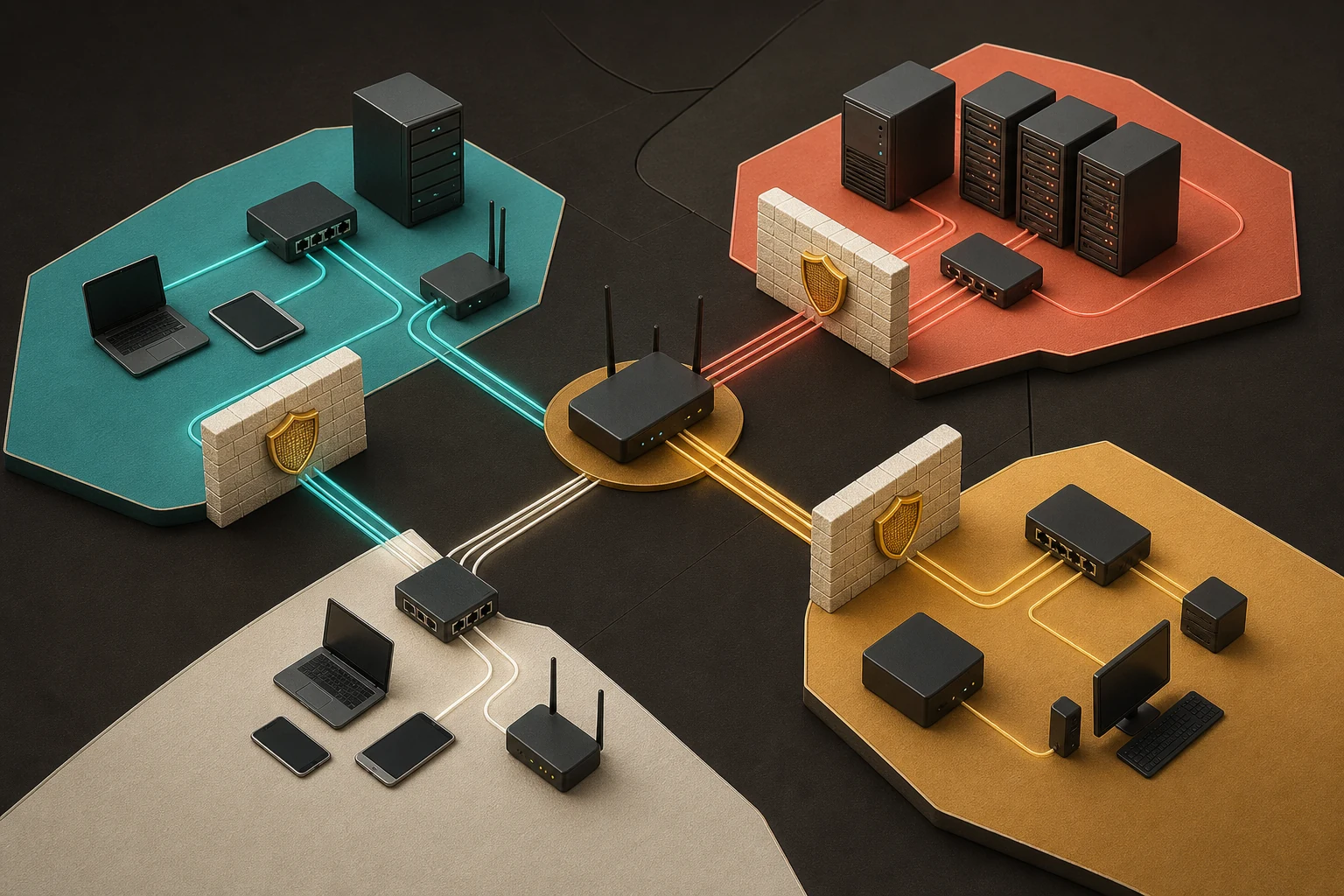
In this blog post, we're exploring the strategic use of VLANs (Virtual Local Area Networks) in modern network architecture, emphasizing their critical role in enhancing security and efficiency. This approach isn't just about dividing a network into segments; it's one way to help fortify against increasingly sophisticated cyber threats and optimizes network performance. By segmenting the network into specialized zones, each tailored for specific functions or traffic types, we're highlighting the benefits of a zero-trust security model and improved traffic management. Let's look at the VLANs that will be available for our use in the lab.
Lab segmentation
VLAN purpose and numbering
| VLAN | ID | Purpose |
|---|---|---|
| Management VLAN | 10 | Network-management devices and traffic |
| DMZ VLAN | 20 | Public-facing services isolated from the internal network |
| Voice VLAN | 30 | VoIP devices and prioritised voice traffic |
| Data VLAN | 40 | Workstations, user devices, and general data |
| Guest VLAN | 50 | Visitor access without internal-network access |
| Wireless VLAN | 70 | Organisation-managed Wi-Fi devices |
| Guest Wireless VLAN | 80 | Isolated wireless access for visitors |
| Printer VLAN | 90 | Network printers and print traffic |
| CCTV VLAN | 100 | Security cameras and surveillance equipment |
| Production VLAN | 110 | Business-critical production servers |
| Development VLAN | 120 | Development and testing systems |
| Uplink VLAN | 130 | Controlled links between switches and firewalls |
| Storage VLAN | 140 | SAN and NAS storage traffic |
| Application VLAN | 150 | Application servers grouped by function and trust |
| Database VLAN | 160 | Restricted database services |
| Security VLAN | 170 | IDS, IPS, SIEM, and defensive systems |
| Compliance VLAN | 180 | Systems governed by regulatory requirements |
| Backup VLAN | 190 | Backup systems and replication traffic |
| IoT VLAN | 200 | Internet of Things devices with limited trust |
| Remote Access VLAN | 210 | Remote-user access into the network |
| Third-Party Access VLAN | 220 | Restricted access for vendors and partners |
| Remediation VLAN | 230 | Devices isolated until they meet requirements |
Let's take a closer look at the specific VLANs we'll be utilizing in our lab. We have carefully selected a range of VLANs, each designed to serve distinct functions within our network. For instance, one VLAN is exclusively dedicated to handling high-priority traffic, ensuring that critical operations run without any hitches. Another is configured for guest access, providing secure but limited connectivity for visitors. By examining these VLANs in a hands-on lab environment, we'll be able to see firsthand how they effectively segregate and manage different types of network traffic. This will not only demonstrate the power of proper VLAN configuration in enhancing network security and efficiency but also illustrate how VLANs can be tailored to meet specific needs and scenarios in a real-world setting. Through this lab, we aim to show VLANs and their role in a robust, modern and secure network infrastructure. Below are VLAN assignments for the data centers and remote sites.
VLAN address plan
Montego Bay (MBJ) · Primary data centre
10.253.0.0/16
| VLAN | ID | CIDR | Subnet ID | Subnet mask | Broadcast | Usable addresses |
|---|---|---|---|---|---|---|
| Management | 10 | /23 | 192.168.150.0 | 255.255.254.0 | 192.168.151.255 | 192.168.150.1 – 192.168.151.254 |
| DMZ | 20 | /22 | 10.253.0.0 | 255.255.252.0 | 10.253.3.255 | 10.253.0.1 – 10.253.3.254 |
| Voice | 30 | /20 | 10.253.4.0 | 255.255.240.0 | 10.253.15.255 | 10.253.4.1 – 10.253.15.254 |
| Data | 40 | /20 | 10.253.16.0 | 255.255.240.0 | 10.253.27.255 | 10.253.16.1 – 10.253.27.254 |
| Guest | 50 | /20 | 10.253.28.0 | 255.255.240.0 | 10.253.39.255 | 10.253.28.1 – 10.253.39.254 |
| Wireless | 70 | /19 | 10.253.40.0 | 255.255.224.0 | 10.253.63.255 | 10.253.40.1 – 10.253.63.254 |
| Guest Wireless | 80 | /20 | 10.253.64.0 | 255.255.240.0 | 10.253.75.255 | 10.253.64.1 – 10.253.75.254 |
| Printer | 90 | /22 | 10.253.76.0 | 255.255.252.0 | 10.253.79.255 | 10.253.76.1 – 10.253.79.254 |
| CCTV | 100 | /22 | 10.253.80.0 | 255.255.252.0 | 10.253.83.255 | 10.253.80.1 – 10.253.83.254 |
| Production | 110 | /20 | 10.253.84.0 | 255.255.240.0 | 10.253.95.255 | 10.253.84.1 – 10.253.95.254 |
| Development | 120 | /20 | 10.253.96.0 | 255.255.240.0 | 10.253.107.255 | 10.253.96.1 – 10.253.107.254 |
| Uplink | 130 | /26 | 10.253.108.0 | 255.255.255.192 | 10.253.108.63 | 10.253.108.1 – 10.253.108.62 |
| Storage | 140 | /20 | 10.253.108.64 | 255.255.240.0 | 10.253.119.255 | 10.253.108.65 – 10.253.119.254 |
| Application | 150 | /20 | 10.253.120.0 | 255.255.240.0 | 10.253.131.255 | 10.253.120.1 – 10.253.131.254 |
| Database | 160 | /20 | 10.253.132.0 | 255.255.240.0 | 10.253.143.255 | 10.253.132.1 – 10.253.143.254 |
| Security | 170 | /22 | 10.253.144.0 | 255.255.252.0 | 10.253.147.255 | 10.253.144.1 – 10.253.147.254 |
| Compliance | 180 | /20 | 10.253.148.0 | 255.255.240.0 | 10.253.159.255 | 10.253.148.1 – 10.253.159.254 |
| Backup | 190 | /20 | 10.253.160.0 | 255.255.240.0 | 10.253.171.255 | 10.253.160.1 – 10.253.171.254 |
| IoT | 200 | /22 | 10.253.172.0 | 255.255.252.0 | 10.253.175.255 | 10.253.172.1 – 10.253.175.254 |
| Remote Access | 210 | /20 | 10.253.176.0 | 255.255.240.0 | 10.253.187.255 | 10.253.176.1 – 10.253.187.254 |
| Third-Party Access | 220 | /22 | 10.253.188.0 | 255.255.252.0 | 10.253.191.255 | 10.253.188.1 – 10.253.191.254 |
| Remediation | 230 | /22 | 10.253.192.0 | 255.255.252.0 | 10.253.195.255 | 10.253.192.1 – 10.253.195.254 |
VLAN address plan
Kingston (KIN) · Secondary data centre
10.254.0.0/16
| VLAN | ID | CIDR | Subnet ID | Subnet mask | Broadcast | Usable addresses |
|---|---|---|---|---|---|---|
| Management | 10 | /23 | 192.168.152.0 | 255.255.254.0 | 192.168.153.255 | 192.168.152.1 – 192.168.153.254 |
| DMZ | 20 | /22 | 10.254.0.0 | 255.255.252.0 | 10.254.3.255 | 10.254.0.1 – 10.254.3.254 |
| Voice | 30 | /20 | 10.254.4.0 | 255.255.240.0 | 10.254.15.255 | 10.254.4.1 – 10.254.15.254 |
| Data | 40 | /20 | 10.254.16.0 | 255.255.240.0 | 10.254.27.255 | 10.254.16.1 – 10.254.27.254 |
| Guest | 50 | /20 | 10.254.28.0 | 255.255.240.0 | 10.254.39.255 | 10.254.28.1 – 10.254.39.254 |
| Wireless | 70 | /19 | 10.254.40.0 | 255.255.224.0 | 10.254.63.255 | 10.254.40.1 – 10.254.63.254 |
| Guest Wireless | 80 | /20 | 10.254.64.0 | 255.255.240.0 | 10.254.75.255 | 10.254.64.1 – 10.254.75.254 |
| Printer | 90 | /22 | 10.254.76.0 | 255.255.252.0 | 10.254.79.255 | 10.254.76.1 – 10.254.79.254 |
| CCTV | 100 | /22 | 10.254.80.0 | 255.255.252.0 | 10.254.83.255 | 10.254.80.1 – 10.254.83.254 |
| Production | 110 | /20 | 10.254.84.0 | 255.255.240.0 | 10.254.95.255 | 10.254.84.1 – 10.254.95.254 |
| Development | 120 | /20 | 10.254.96.0 | 255.255.240.0 | 10.254.107.255 | 10.254.96.1 – 10.254.107.254 |
| Uplink | 130 | /26 | 10.254.108.0 | 255.255.255.192 | 10.254.108.63 | 10.254.108.1 – 10.254.108.62 |
| Storage | 140 | /20 | 10.254.108.64 | 255.255.240.0 | 10.254.119.255 | 10.254.108.65 – 10.254.119.254 |
| Application | 150 | /20 | 10.254.120.0 | 255.255.240.0 | 10.254.131.255 | 10.254.120.1 – 10.254.131.254 |
| Database | 160 | /20 | 10.254.132.0 | 255.255.240.0 | 10.254.143.255 | 10.254.132.1 – 10.254.143.254 |
| Security | 170 | /22 | 10.254.144.0 | 255.255.252.0 | 10.254.147.255 | 10.254.144.1 – 10.254.147.254 |
| Compliance | 180 | /20 | 10.254.148.0 | 255.255.240.0 | 10.254.159.255 | 10.254.148.1 – 10.254.159.254 |
| Backup | 190 | /20 | 10.254.160.0 | 255.255.240.0 | 10.254.171.255 | 10.254.160.1 – 10.254.171.254 |
| IoT | 200 | /22 | 10.254.172.0 | 255.255.252.0 | 10.254.175.255 | 10.254.172.1 – 10.254.175.254 |
| Remote Access | 210 | /20 | 10.254.176.0 | 255.255.240.0 | 10.254.187.255 | 10.254.176.1 – 10.254.187.254 |
| Third-Party Access | 220 | /22 | 10.254.188.0 | 255.255.252.0 | 10.254.191.255 | 10.254.188.1 – 10.254.191.254 |
| Remediation | 230 | /22 | 10.254.192.0 | 255.255.252.0 | 10.254.195.255 | 10.254.192.1 – 10.254.195.254 |
VLAN address plan
Port Antonio (POT) · Remote branch
10.0.0.0/20
| VLAN | ID | CIDR | Subnet ID | Subnet mask | Broadcast | Usable addresses |
|---|---|---|---|---|---|---|
| Management | 10 | /26 | 192.168.154.128 | 255.255.255.192 | 192.168.154.191 | 192.168.154.129 – 192.168.154.190 |
| Voice | 30 | /24 | 10.0.0.0 | 255.255.255.0 | 10.0.0.255 | 10.0.0.1 – 10.0.0.254 |
| Data | 40 | /24 | 10.0.1.0 | 255.255.255.0 | 10.0.1.255 | 10.0.1.1 – 10.0.1.254 |
| Guest | 50 | /26 | 10.0.2.0 | 255.255.255.192 | 10.0.2.63 | 10.0.2.1 – 10.0.2.62 |
| Wireless | 70 | /25 | 10.0.2.64 | 255.255.255.128 | 10.0.2.127 | 10.0.2.65 – 10.0.2.126 |
| Guest Wireless | 80 | /25 | 10.0.2.128 | 255.255.255.128 | 10.0.2.191 | 10.0.2.129 – 10.0.2.190 |
| Printer | 90 | /25 | 10.0.2.192 | 255.255.255.128 | 10.0.2.255 | 10.0.2.193 – 10.0.2.254 |
| CCTV | 100 | /25 | 10.0.3.0 | 255.255.255.128 | 10.0.3.127 | 10.0.3.1 – 10.0.3.126 |
| Production | 110 | /27 | 10.0.3.128 | 255.255.255.224 | 10.0.3.159 | 10.0.3.129 – 10.0.3.158 |
| Uplink | 130 | /28 | 10.0.3.160 | 255.255.255.240 | 10.0.3.175 | 10.0.3.161 – 10.0.3.174 |
| Security | 170 | /25 | 10.0.3.176 | 255.255.255.128 | 10.0.3.255 | 10.0.3.177 – 10.0.3.254 |
| Compliance | 180 | /25 | 10.0.4.0 | 255.255.255.128 | 10.0.4.127 | 10.0.4.1 – 10.0.4.126 |
| IoT | 200 | /25 | 10.0.4.128 | 255.255.255.128 | 10.0.4.191 | 10.0.4.129 – 10.0.4.190 |
| Remediation | 230 | /25 | 10.0.4.192 | 255.255.255.128 | 10.0.4.255 | 10.0.4.193 – 10.0.4.254 |
VLAN address plan
Ocho Rios (OCJ) · Remote branch
10.0.16.0/20
| VLAN | ID | CIDR | Subnet ID | Subnet mask | Broadcast | Usable addresses |
|---|---|---|---|---|---|---|
| Management | 10 | /26 | 192.168.154.64 | 255.255.255.192 | 192.168.154.127 | 192.168.154.65 – 192.168.154.126 |
| Voice | 30 | /24 | 10.0.16.0 | 255.255.255.0 | 10.0.16.255 | 10.0.16.1 – 10.0.16.254 |
| Data | 40 | /24 | 10.0.17.0 | 255.255.255.0 | 10.0.17.255 | 10.0.17.1 – 10.0.17.254 |
| Guest | 50 | /26 | 10.0.18.0 | 255.255.255.192 | 10.0.18.63 | 10.0.18.1 – 10.0.18.62 |
| Wireless | 70 | /25 | 10.0.18.64 | 255.255.255.128 | 10.0.18.127 | 10.0.18.65 – 10.0.18.126 |
| Guest Wireless | 80 | /25 | 10.0.18.128 | 255.255.255.128 | 10.0.18.191 | 10.0.18.129 – 10.0.18.190 |
| Printer | 90 | /25 | 10.0.18.192 | 255.255.255.128 | 10.0.18.255 | 10.0.18.193 – 10.0.18.254 |
| CCTV | 100 | /25 | 10.0.19.0 | 255.255.255.128 | 10.0.19.127 | 10.0.19.1 – 10.0.19.126 |
| Production | 110 | /27 | 10.0.19.128 | 255.255.255.224 | 10.0.19.159 | 10.0.19.129 – 10.0.19.158 |
| Uplink | 130 | /28 | 10.0.19.160 | 255.255.255.240 | 10.0.19.175 | 10.0.19.161 – 10.0.19.174 |
| Security | 170 | /25 | 10.0.19.176 | 255.255.255.128 | 10.0.19.255 | 10.0.19.177 – 10.0.19.254 |
| Compliance | 180 | /25 | 10.0.20.0 | 255.255.255.128 | 10.0.20.127 | 10.0.20.1 – 10.0.20.126 |
| IoT | 200 | /25 | 10.0.20.128 | 255.255.255.128 | 10.0.20.191 | 10.0.20.129 – 10.0.20.190 |
| Remediation | 230 | /25 | 10.0.20.192 | 255.255.255.128 | 10.0.20.255 | 10.0.20.193 – 10.0.20.254 |
VLAN address plan
Savanna-la-Mar (SAV) · Remote branch
10.0.32.0/20
| VLAN | ID | CIDR | Subnet ID | Subnet mask | Broadcast | Usable addresses |
|---|---|---|---|---|---|---|
| Management | 10 | /26 | 192.168.154.128 | 255.255.255.192 | 192.168.154.191 | 192.168.154.129 – 192.168.154.190 |
| Voice | 30 | /24 | 10.0.32.0 | 255.255.255.0 | 10.0.32.255 | 10.0.32.1 – 10.0.32.254 |
| Data | 40 | /24 | 10.0.33.0 | 255.255.255.0 | 10.0.33.255 | 10.0.33.1 – 10.0.33.254 |
| Guest | 50 | /26 | 10.0.34.0 | 255.255.255.192 | 10.0.34.63 | 10.0.34.1 – 10.0.34.62 |
| Wireless | 70 | /25 | 10.0.34.64 | 255.255.255.128 | 10.0.34.127 | 10.0.34.65 – 10.0.34.126 |
| Guest Wireless | 80 | /25 | 10.0.34.128 | 255.255.255.128 | 10.0.34.191 | 10.0.34.129 – 10.0.34.190 |
| Printer | 90 | /25 | 10.0.34.192 | 255.255.255.128 | 10.0.34.255 | 10.0.34.193 – 10.0.34.254 |
| CCTV | 100 | /25 | 10.0.35.0 | 255.255.255.128 | 10.0.35.127 | 10.0.35.1 – 10.0.35.126 |
| Production | 110 | /27 | 10.0.35.128 | 255.255.255.224 | 10.0.35.159 | 10.0.35.129 – 10.0.35.158 |
| Uplink | 130 | /28 | 10.0.35.160 | 255.255.255.240 | 10.0.35.175 | 10.0.35.161 – 10.0.35.174 |
| Security | 170 | /25 | 10.0.35.176 | 255.255.255.128 | 10.0.35.255 | 10.0.35.177 – 10.0.35.254 |
| Compliance | 180 | /25 | 10.0.36.0 | 255.255.255.128 | 10.0.36.127 | 10.0.36.1 – 10.0.36.126 |
| IoT | 200 | /25 | 10.0.36.128 | 255.255.255.128 | 10.0.36.191 | 10.0.36.129 – 10.0.36.190 |
| Remediation | 230 | /25 | 10.0.36.192 | 255.255.255.128 | 10.0.36.255 | 10.0.36.193 – 10.0.36.254 |
VLAN address plan
Santa Cruz (STC) · Remote branch
10.0.48.0/20
| VLAN | ID | CIDR | Subnet ID | Subnet mask | Broadcast | Usable addresses |
|---|---|---|---|---|---|---|
| Management | 10 | /26 | 192.168.154.192 | 255.255.255.192 | 192.168.154.255 | 192.168.154.193 – 192.168.154.254 |
| Voice | 30 | /24 | 10.0.48.0 | 255.255.255.0 | 10.0.48.255 | 10.0.48.1 – 10.0.48.254 |
| Data | 40 | /24 | 10.0.49.0 | 255.255.255.0 | 10.0.49.255 | 10.0.49.1 – 10.0.49.254 |
| Guest | 50 | /26 | 10.0.50.0 | 255.255.255.192 | 10.0.50.63 | 10.0.50.1 – 10.0.50.62 |
| Wireless | 70 | /25 | 10.0.50.64 | 255.255.255.128 | 10.0.50.127 | 10.0.50.65 – 10.0.50.126 |
| Guest Wireless | 80 | /25 | 10.0.50.128 | 255.255.255.128 | 10.0.50.191 | 10.0.50.129 – 10.0.50.190 |
| Printer | 90 | /25 | 10.0.50.192 | 255.255.255.128 | 10.0.50.255 | 10.0.50.193 – 10.0.50.254 |
| CCTV | 100 | /25 | 10.0.51.0 | 255.255.255.128 | 10.0.51.127 | 10.0.51.1 – 10.0.51.126 |
| Production | 110 | /27 | 10.0.51.128 | 255.255.255.224 | 10.0.51.159 | 10.0.51.129 – 10.0.51.158 |
| Uplink | 130 | /28 | 10.0.51.160 | 255.255.255.240 | 10.0.51.175 | 10.0.51.161 – 10.0.51.174 |
| Security | 170 | /25 | 10.0.51.176 | 255.255.255.128 | 10.0.51.255 | 10.0.51.177 – 10.0.51.254 |
| Compliance | 180 | /25 | 10.0.52.0 | 255.255.255.128 | 10.0.52.127 | 10.0.52.1 – 10.0.52.126 |
| IoT | 200 | /25 | 10.0.52.128 | 255.255.255.128 | 10.0.52.191 | 10.0.52.129 – 10.0.52.190 |
| Remediation | 230 | /25 | 10.0.52.192 | 255.255.255.128 | 10.0.52.255 | 10.0.52.193 – 10.0.52.254 |
VLAN address plan
Mandeville (MAN) · Remote branch
10.0.64.0/20
| VLAN | ID | CIDR | Subnet ID | Subnet mask | Broadcast | Usable addresses |
|---|---|---|---|---|---|---|
| Management | 10 | /26 | 192.168.155.0 | 255.255.255.192 | 192.168.155.63 | 192.168.155.1 – 192.168.155.62 |
| Voice | 30 | /24 | 10.0.64.0 | 255.255.255.0 | 10.0.64.255 | 10.0.64.1 – 10.0.64.254 |
| Data | 40 | /24 | 10.0.65.0 | 255.255.255.0 | 10.0.65.255 | 10.0.65.1 – 10.0.65.254 |
| Guest | 50 | /26 | 10.0.66.0 | 255.255.255.192 | 10.0.66.63 | 10.0.66.1 – 10.0.66.62 |
| Wireless | 70 | /25 | 10.0.66.64 | 255.255.255.128 | 10.0.66.127 | 10.0.66.65 – 10.0.66.126 |
| Guest Wireless | 80 | /25 | 10.0.66.128 | 255.255.255.128 | 10.0.66.191 | 10.0.66.129 – 10.0.66.190 |
| Printer | 90 | /25 | 10.0.66.192 | 255.255.255.128 | 10.0.66.255 | 10.0.66.193 – 10.0.66.254 |
| CCTV | 100 | /25 | 10.0.67.0 | 255.255.255.128 | 10.0.67.127 | 10.0.67.1 – 10.0.67.126 |
| Production | 110 | /27 | 10.0.67.128 | 255.255.255.224 | 10.0.67.159 | 10.0.67.129 – 10.0.67.158 |
| Uplink | 130 | /28 | 10.0.67.160 | 255.255.255.240 | 10.0.67.175 | 10.0.67.161 – 10.0.67.174 |
| Security | 170 | /25 | 10.0.67.176 | 255.255.255.128 | 10.0.67.255 | 10.0.67.177 – 10.0.67.254 |
| Compliance | 180 | /25 | 10.0.68.0 | 255.255.255.128 | 10.0.68.127 | 10.0.68.1 – 10.0.68.126 |
| IoT | 200 | /25 | 10.0.68.128 | 255.255.255.128 | 10.0.68.191 | 10.0.68.129 – 10.0.68.190 |
| Remediation | 230 | /25 | 10.0.68.192 | 255.255.255.128 | 10.0.68.255 | 10.0.68.193 – 10.0.68.254 |
VLAN address plan
Negril (NEG) · Remote branch
10.0.80.0/20
| VLAN | ID | CIDR | Subnet ID | Subnet mask | Broadcast | Usable addresses |
|---|---|---|---|---|---|---|
| Management | 10 | /26 | 192.168.155.64 | 255.255.255.192 | 192.168.155.127 | 192.168.155.65 – 192.168.155.126 |
| Voice | 30 | /24 | 10.0.80.0 | 255.255.255.0 | 10.0.80.255 | 10.0.80.1 – 10.0.80.254 |
| Data | 40 | /24 | 10.0.81.0 | 255.255.255.0 | 10.0.81.255 | 10.0.81.1 – 10.0.81.254 |
| Guest | 50 | /26 | 10.0.82.0 | 255.255.255.192 | 10.0.82.63 | 10.0.82.1 – 10.0.82.62 |
| Wireless | 70 | /25 | 10.0.82.64 | 255.255.255.128 | 10.0.82.127 | 10.0.82.65 – 10.0.82.126 |
| Guest Wireless | 80 | /25 | 10.0.82.128 | 255.255.255.128 | 10.0.82.191 | 10.0.82.129 – 10.0.82.190 |
| Printer | 90 | /25 | 10.0.82.192 | 255.255.255.128 | 10.0.82.255 | 10.0.82.193 – 10.0.82.254 |
| CCTV | 100 | /25 | 10.0.83.0 | 255.255.255.128 | 10.0.83.127 | 10.0.83.1 – 10.0.83.126 |
| Production | 110 | /27 | 10.0.83.128 | 255.255.255.224 | 10.0.83.159 | 10.0.83.129 – 10.0.83.158 |
| Uplink | 130 | /28 | 10.0.83.160 | 255.255.255.240 | 10.0.83.175 | 10.0.83.161 – 10.0.83.174 |
| Security | 170 | /25 | 10.0.83.176 | 255.255.255.128 | 10.0.83.255 | 10.0.83.177 – 10.0.83.254 |
| Compliance | 180 | /25 | 10.0.84.0 | 255.255.255.128 | 10.0.84.127 | 10.0.84.1 – 10.0.84.126 |
| IoT | 200 | /25 | 10.0.84.128 | 255.255.255.128 | 10.0.84.191 | 10.0.84.129 – 10.0.84.190 |
| Remediation | 230 | /25 | 10.0.84.192 | 255.255.255.128 | 10.0.84.255 | 10.0.84.193 – 10.0.84.254 |
In our exploration of VLANs, we’ve discovered their pivotal role in enhancing security and efficiency across a variety of network architectures. Data centers, for instance, utilize an array of VLANs such as DMZ, Production, and Storage. These VLANs manage high traffic volumes and diverse functionalities, ensuring each segment is not only isolated but also fortified against potential cyber threats.
On the other hand, remote branch offices demonstrate that effective network security isn’t solely dependent on the scale of operations. Smaller subnets, like the Management VLAN and Security VLAN, are strategically implemented to safeguard critical operations and sensitive data. This targeted approach underscores the principle of zero-trust security, treating every network segment as a potential risk zone. Overall, VLANs serve as crucial building blocks in creating secure, efficient, and resilient networks, making them an indispensable tool in the network architect’s toolkit.